
One clip, five steps
A clip is spreading and someone has to decide what to say about it. The check runs in five steps, in this order.

1
Submit
Submit the link of the post, or upload the file itself. A clip a colleague was forwarded on WhatsApp goes in the same way, as a file.
2
Find the copies
Every copy of the same media, on whatever platform, is gathered into one item, matched by its visual fingerprint and its audio. The item shows the copies on each platform and the first one seen.
3
Examine
A submitted item is asked all six questions: fully AI-generated, part manufactured or AI-altered, face manipulated, voice AI-generated, lip-sync mismatch, and deepfake. A question that does not apply, such as lip-sync with no face in the frame, says so and why.
4
Read the verdict
What was found, how certain, on what kinds of evidence, and where in the clip. The item is examined once for all its copies. When a fuller examination follows a first, quicker one, it produces a new verdict that supersedes the first, and the screen moves to it; until then the questions not yet decided read as still checking.
5
Record
Attach the result to a case, so the clip, its copies and the decisions on it stay together. A positive finding goes to an analyst to confirm before any use outside your team.
The verdict
The record, drawn with the site’s standard example values. Each number in the drawing matches a line below.

1
Where
The region of the frame and the stretch of the clip the finding rests on, each with its own certainty.
2
Partially manipulated
The verdict: part of the clip was changed. It is one of five verdict words, and none of them says a clip is genuine.
3
High
The certainty. High needs two validated checks of different kinds of evidence to agree and a combined score high enough, unless a trusted content credential or watermark decides.
4
0.91
The probability, shown because the result is calibrated.
5
Calibrated
Calibrated on Indian data for that kind of media. An uncalibrated result shows a score and no probability.
6
Two kinds of evidence
The kinds that agreed, for example image detail and frame continuity. Two checks of the same kind count as one.
Where it began
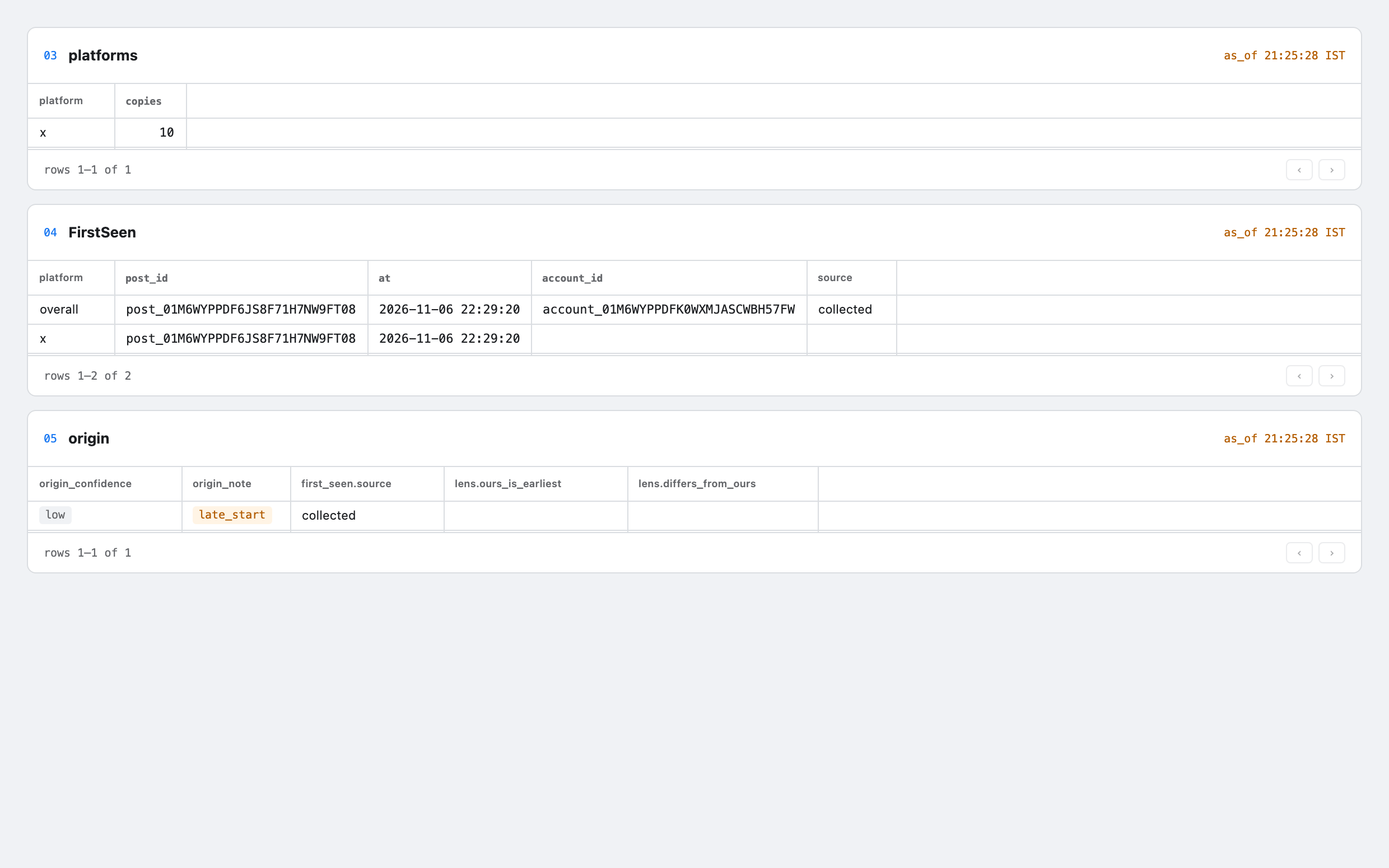
The cluster screen shows where the clip was first seen, on which platform, from which account and when, and how it spread.
The first sighting comes with how sure it is: high, medium or low, with a note when watching began late or a reverse image search found an earlier copy on the web.
The spread is drawn in five-minute steps over 48 hours, with the first copy on each platform. A clip whose soundtrack was laid under other pictures is found too, because audio is matched on its own.

What to say in public
The product will not say a clip is genuine, and makes no public claim that one is fake without an analyst’s confirmation. What your team says follows from that.
If the clip was found AI-generated, partially manipulated or manipulated, wait for an analyst to confirm the verdict. Only then can it be cited in a reply, a platform report or a statement, and the person who confirmed it cannot be the one who approves the reply.
If nothing was found, the most that can be said is that validated checks found no evidence of manipulation. It is never a statement that the clip is authentic, and releasing it outside your team is a decision of its own, in the fixed words “no evidence of manipulation found”.
Use the record’s certainty, not a stronger word: a likely finding is said as likely, and only a high one as high.
Say where the change is, using the record: the region of the frame or the stretch of time.
A verdict says what was done to the media, not who made it or who pushed it. The product does no identity recognition of private individuals: faces are located only to check them for manipulation.
Could not tell
Home shows an inconclusive verdict in these words. It is an answer, and it always carries its reason: no validated check could look at this kind of media, no check ran, or the validated checks disagreed.
Before an installation’s baseline weeks are complete, no detector has passed validation on Indian media, so verdicts on a kind of media stay inconclusive unless a trusted content credential or watermark decides. That is the intended behaviour.
In public it means the clip could not be decided. It does not mean the clip is clean, and it is not a reason to say nothing was done to it.
If it turns out wrong
01
A correction is created
When an analyst overturns a released verdict, or your organisation disputes it, the product records a correction.
02
Reports get an addendum
Any report that carried the verdict gets a correction addendum, delivered to every person who received the report.
03
A sent reply gets a follow-up
If a reply cited the verdict, a follow-up draft goes into the approval queue, under the same two-person rule.
04
The record shows it
The verdict’s screen shows the correction beside the decisions made on it. Nothing is edited silently.
Bring a clip your team had to answer for, and follow it through the five steps on the screens.
Request a demo/use-cases/viral-clip · Checking a viral clip